
[T-3551] [RELEASE] Correct Refunds and Generate Report
Updates on the Refunds View:
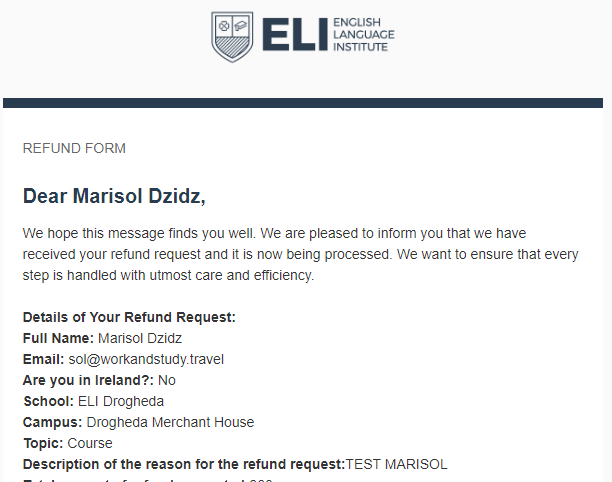
- Email Notifications: We've implemented an email notification system to inform students that their refund request has been successfully received, providing them with details about the submitted data.
- Visa Refusal Refunds: Refunds related to "Visa Refusal" are now directly routed to the refunds screen managed by Leslie.
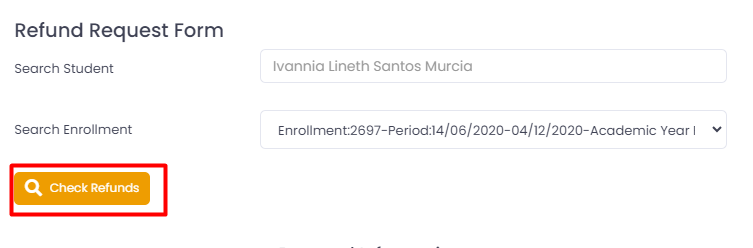
- New Feature in "Refunds Pre Approval": A Check Refunds" button has been added to the "Refunds Pre Approval" section. This button allows users to view processed refunds associated with the student's enrollment.
- Quick Access to Refunds: On the Refunds Reviewed and Refunds views, a "View Refunds" button has been incorporated for easy access to all refunds associated with the student's enrollment.

Changes on the "Refunds" Screen:
- Refunds in the "Not authorized" status can no longer be modified. The only available option is to send them back to the senior manager. Upon doing so, they will appear in the "Reviewed" screen and will require approval again before being visible in the "Refunds" screen.
- Refunds in the "Complete" status cannot be reverted to previous statuses (In Process, Not authorized).
In addition to these improvements, we've introduced a new refunds report that facilitates viewing all refunds in the "In Process" status. Date filters by month have also been added for better management. You can access this report in the Finance -> Reports -> Refunds Report section.